How to fill in your stand
Your stand is usually on the map already, from the organiser’s lists and plans. In a few minutes you show it the way you want: with your logo, your words and your contacts. It is free, and you do not need an account. MapMarkt is an independent map of fairs and markets, not the organiser.
- 1. Find your stand
- 2. Claim it: name and e-mail
- 3. Texts and categories
- 4. Logo and photos
- 5. Your link and QR code
- 6. Highlight your stand
- 7. What else you can show
- 8. Visible at once – and undone any time
- 9. Frequent questions
1. Find your stand
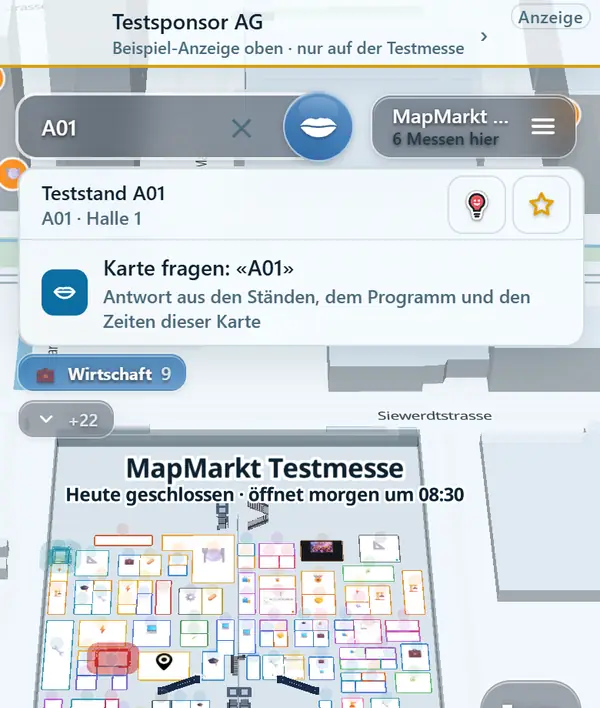
Open your fair’s map on mapmarkt.com and type your name or stand number into the search field at the top. A tap on the result opens your stand’s card.
Every stand has its own address to share: mapmarkt.com/s/ followed by the stand’s code. It is in the address bar as soon as your stand is open.
Your stand is missing or in the wrong place? Write to info@mapmarkt.com and we will add it.
2. Claim it: name and e-mail
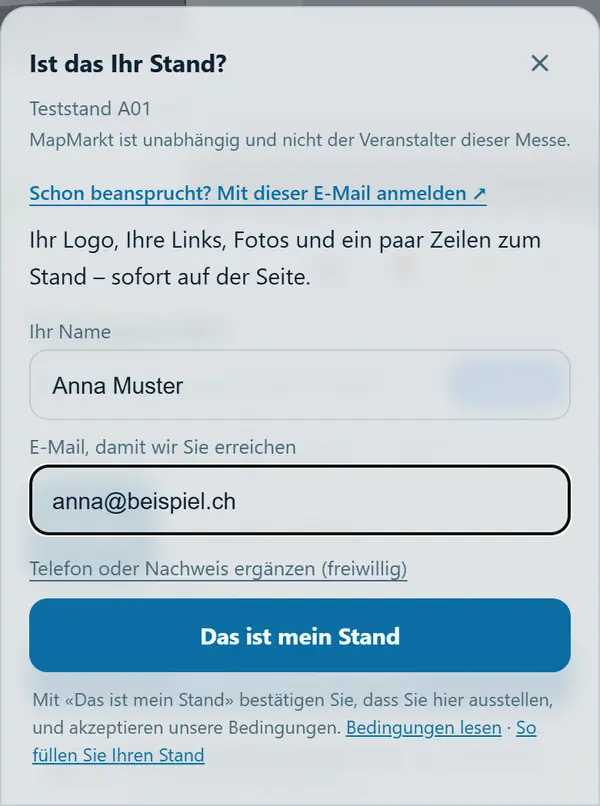
At the bottom of your stand’s card it says «Do you run this stand?». A tap opens «Is this your stand?»: your name and an e-mail address where we can reach you. A phone number or proof are optional. It takes about a minute.
By pressing «This is our stand» you confirm that you exhibit at this fair at this stand, and you accept the terms: https://mapmarkt.com/terms#staende
Then we send you a link. In this browser the stand is yours even before; the link ties it to your address, so you can also edit it on another device. If nothing arrives, look in the spam folder or have the link sent again.
3. Texts and categories
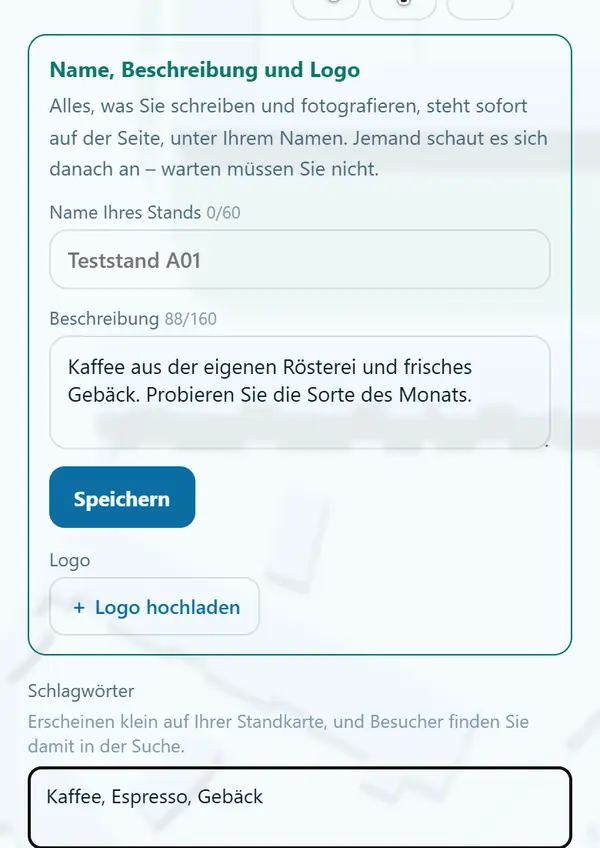
Everything to edit is now right in your stand’s card. What helps most when visitors look for you:
- Name and two lines about your stand – what people find with you, in plain words.
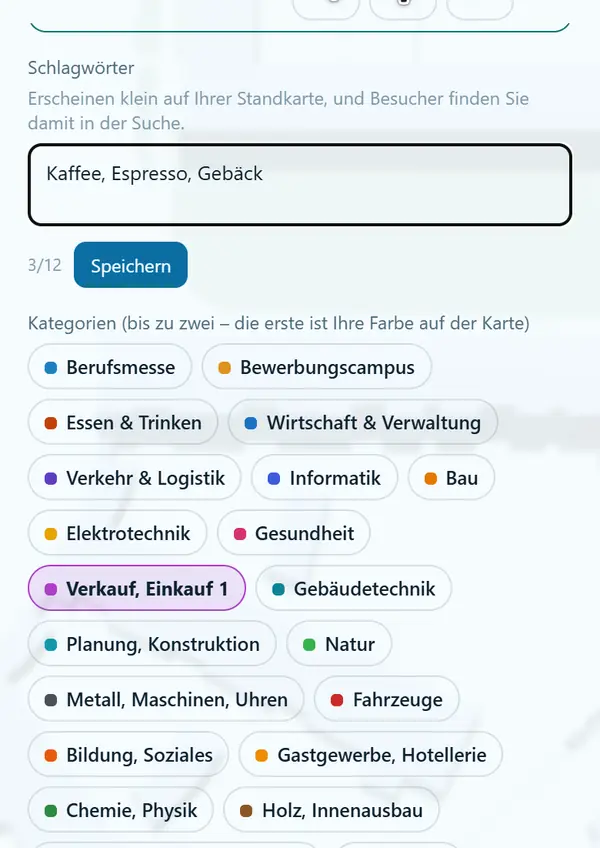
- Keywords – what you show or sell. This is how people find you in the search.
- Categories – up to two from your fair’s categories; the first one is your stand’s colour on the map.
- Contact and links – website, e-mail, phone, social media.
4. Logo and photos
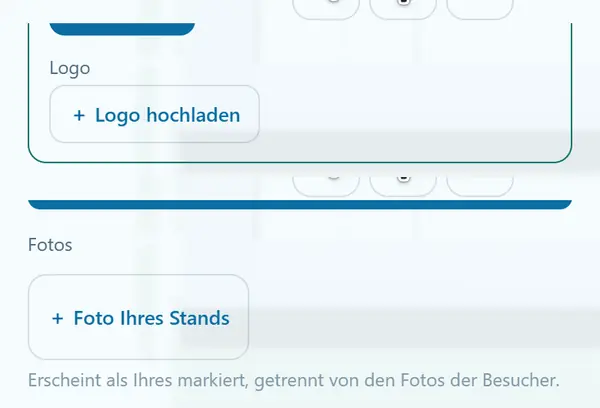
With «Upload a logo» your logo goes onto the map and onto your card – visitors recognise your stand from afar. We take a quick look at a new logo; it appears as soon as it is checked.
Under photos you show your stand and your products. Your photos are marked as yours, apart from the visitors’ photos.
5. Your link and QR code
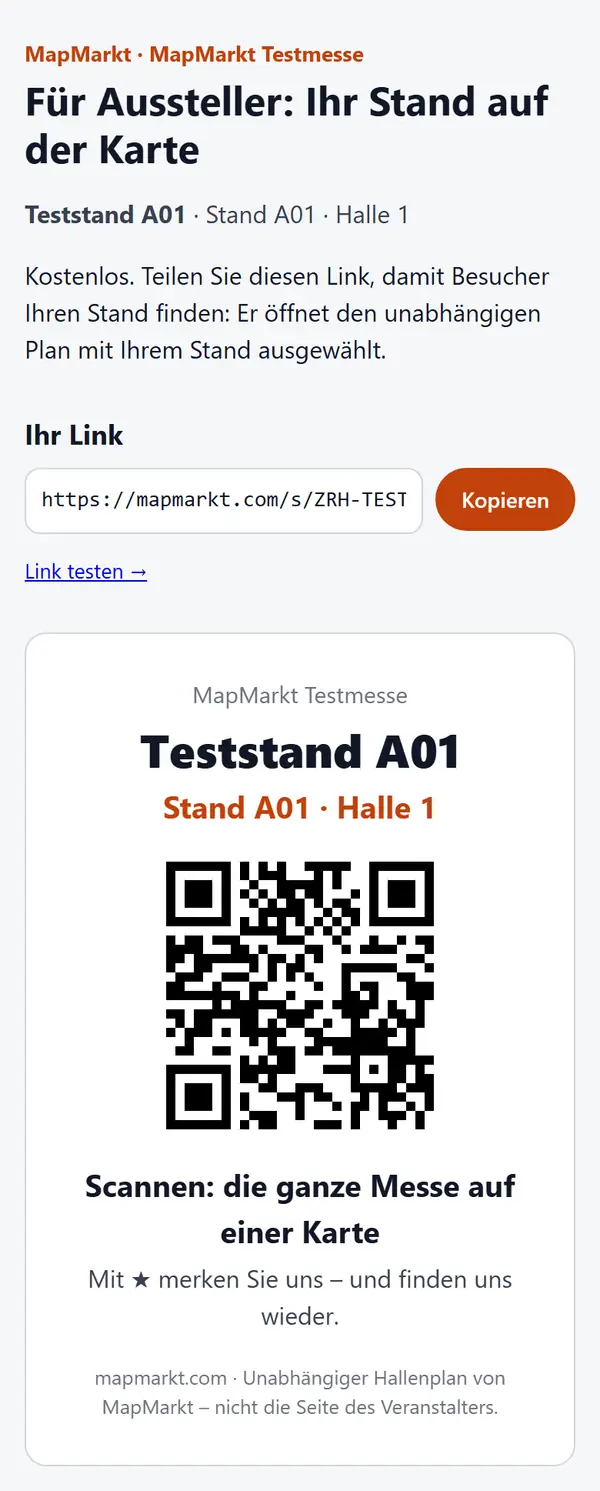
On your stand’s card, «Exhibitors: your link and QR code for your website and stand» leads to your own page: the link to your stand, a sentence for newsletters and social media, a button for your website, the QR code and a sign to print for the stand. The address is mapmarkt.com/s/, your stand’s code and /kit.
The page exists at the fairs whose stand pages we publish.
6. Highlight your stand
At some fairs you can highlight your stand on days you choose. It is optional; everything above stays free. This is how:
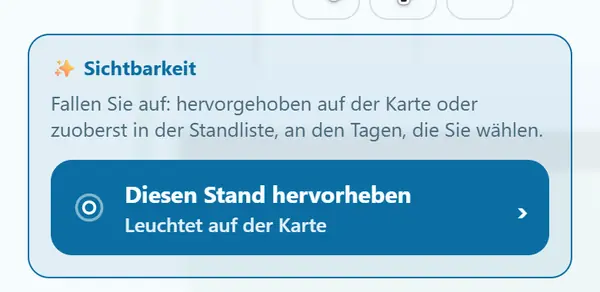
- The button: once you have claimed your stand, its card shows the box «✨ Visibility» with «Highlight this stand». If it is not there, nothing is on offer at this fair.
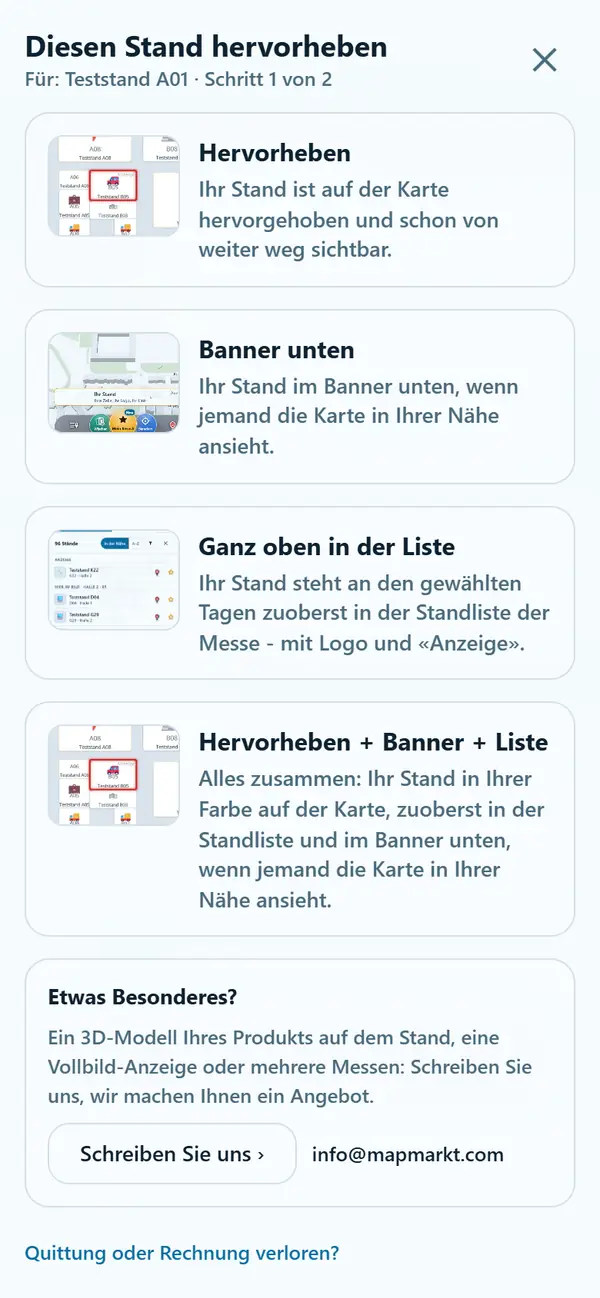
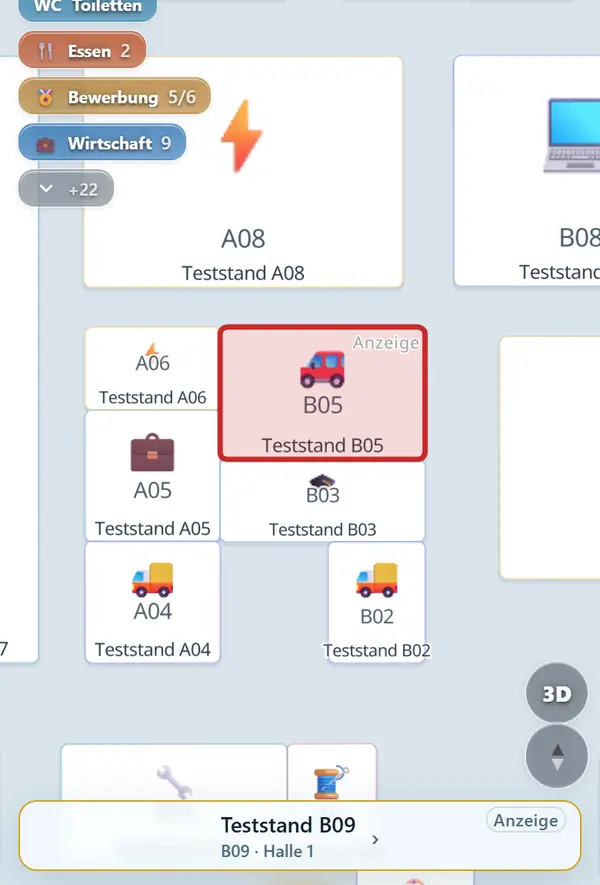
- What you want: depending on the fair, for example your stand highlighted on the map, first in the stand list or in the banner at the bottom – or all together. A picture with each offer shows what it looks like.
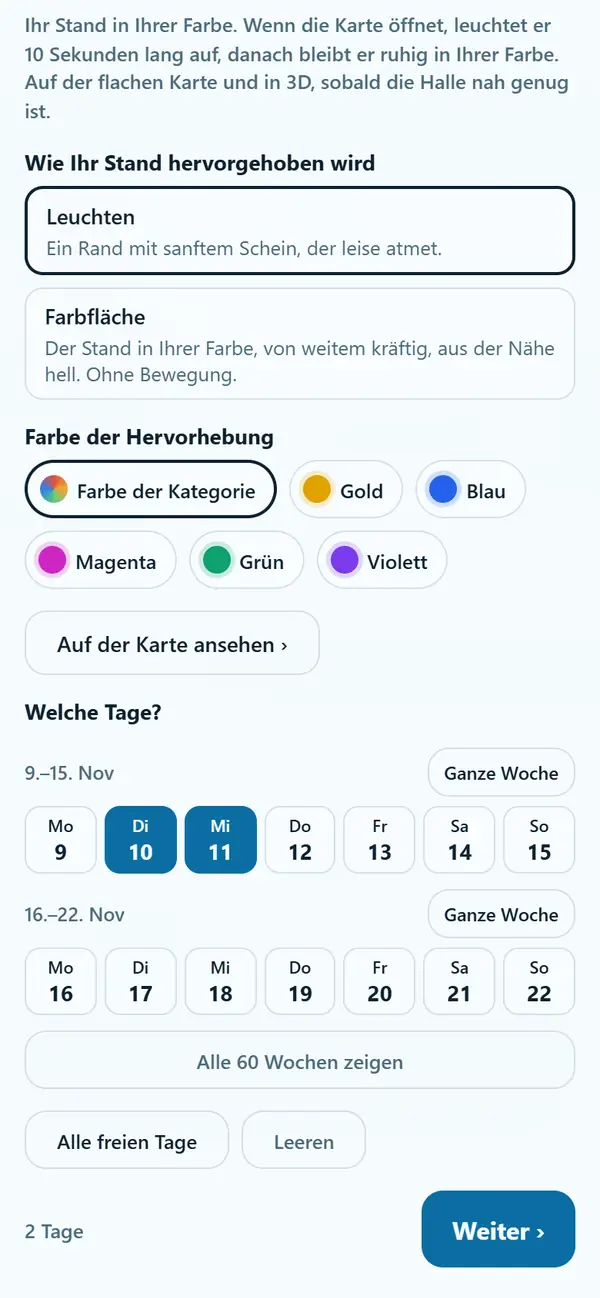
- How it looks: where the fair offers both, you choose under «How your stand is highlighted» between «Glow» (a ring with a soft light) and «Colour fill» (the stand in your colour, no motion). Then the «Colour of the highlight»: your category’s colour or another one. «See it on the map» shows it on the map first.
- The days: under «Which days?» you tap single days, «Whole week» or «All remaining days». A day that is taken says «sold out».
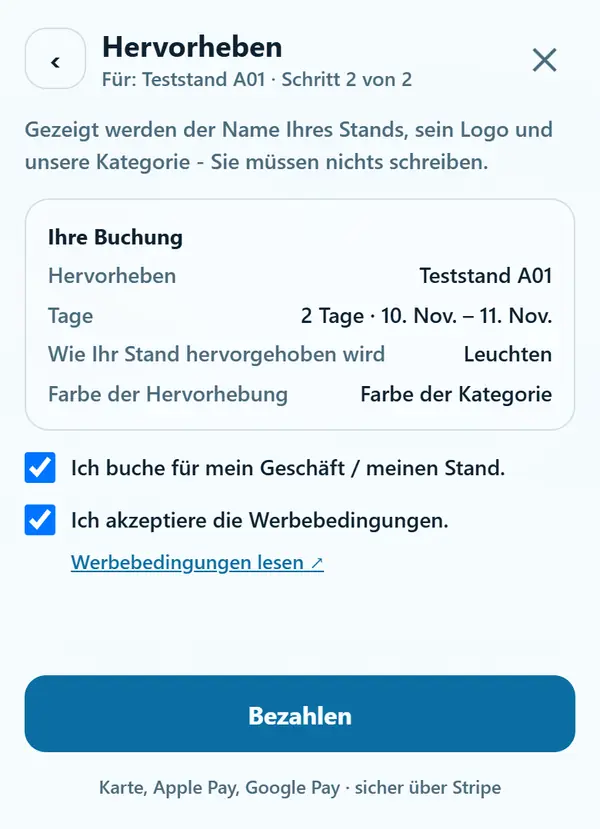
- Paying: «Your booking» sums it all up. You confirm that you are booking for your business or stand and accept the advertising terms; «Pay» takes you to Stripe – card, Apple Pay or Google Pay. Stripe sends the receipt and invoice to the address you paid with.
- Afterwards: the highlight starts by itself on the booked day and appears only on the days you picked. On the map it is labelled «Ad».
- Ending it: «Your bookings» in your stand shows what is running. «End the highlight» ends it at once; paid days are not refunded.
You see the prices in the app before you choose anything; they are set per fair. The terms: https://mapmarkt.com/terms#werbung
7. What else you can show
- New – up to three new products or offers at your stand.
- Programme – demonstrations, tastings, signings with a time; they appear at your stand and in the fair’s programme, marked «from the exhibitor».
- We are looking for – jobs, apprenticeships, internships.
- More about your stand – fixed details such as languages spoken at the stand or your company’s locations.
Opening hours come from the organiser; they apply to every stand and cannot be changed at a stand. If you are not there on a day, take the stand off the map for that day with «Nobody here today».
8. Visible at once – and undone any time
Almost everything you enter is on the map at once. Only a new logo is looked at first.
Every change comes to you by e-mail, with a link to undo it – in case someone else changed something or you made a typo.
Under «History» you see what was changed at your stand and when. «Take back my changes» shows the stand again as we know it from the organiser’s information.
9. Frequent questions
We are not at the fair, or at another stand. – Tell us with «We are not coming» or «We moved» when editing, or by e-mail; we adjust the map.
Someone else has claimed our stand. – If two people claim the same stand, both see it. Write to us; we sort it out with proof, for example an e-mail from your company’s address.
What happens to our data? – Your e-mail address and any proof are only used to check the claim and to tell you about changes. More in the privacy policy: https://mapmarkt.com/privacy
On a laptop? – There your stand opens in a large window: everything to edit on the left, your stand as visitors see it on the right. On a phone everything works the same way, in the stand’s card.
Questions, or something is wrong? – info@mapmarkt.com
MapMarkt – F. Tech. Int. · info@mapmarkt.com · 2026-11-10 · Terms · Privacy · About